03Own product
Office ERP
An HR and office ERP covering attendance, leave, payroll, expenses and projects — product design and frontend engineering by DEVS KITCHEN.
- Client
- In-house product
- Services
- Product strategy, UI/UX design, Web development
- Platforms
- Web
- Status
- Interactive prototype
The challenge
Small and growing companies often run HR on spreadsheets, chat messages and paper forms. Attendance lives in one place, leave in another and payroll in a third, so every month-end means reconciling them by hand.
They need one system that employees actually use every day — and that shows managers, HR and finance only what each of them is responsible for.
Our approach
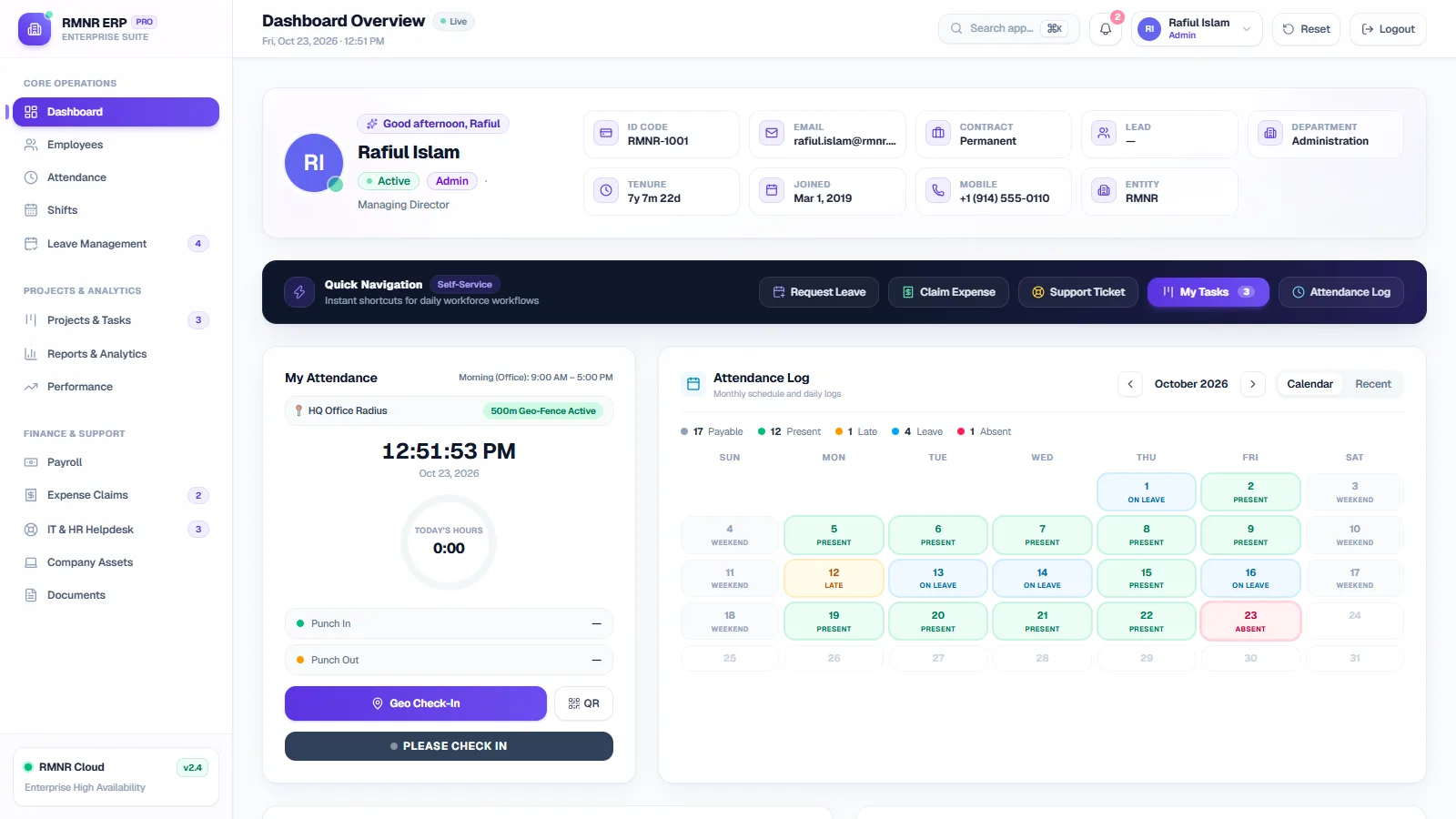
We designed from the daily routine outwards. The dashboard opens on what an employee does most: check in, see their month, request leave or an expense. Approvals and reports sit one step further in, for the people who need them.
Permissions are built into the rules, not just hidden in the interface. Six roles decide who can view, edit and approve each record, and leave follows a written approval chain: the employee’s manager first, then HR.
We built it as an interactive prototype first. Every module works in the browser on realistic demo data, so the workflows can be tested and refined before a backend is connected.
What we built
- 01
Geofenced check-in
Punch in from inside the office radius or with a QR code, measured against each employee’s shift and grace period.
- 02
Approval chains
Leave moves from manager to HR, with balances per leave type and a clear record of every decision.
- 03
Payroll in one run
Allowances, deductions and net pay are calculated for the whole company, with payslips and salary advances.
- 04
Thirteen modules
A dashboard, employees, attendance, shifts, leave, payroll, expenses, helpdesk, assets, documents, projects, performance and reports.
- 05
Role-based access
Employee, manager, HR, finance, IT admin and admin each see and approve only what is theirs.
- 06
Fast to navigate
A command palette, notifications and a mobile layout for people who are not at a desk.
Inside the product
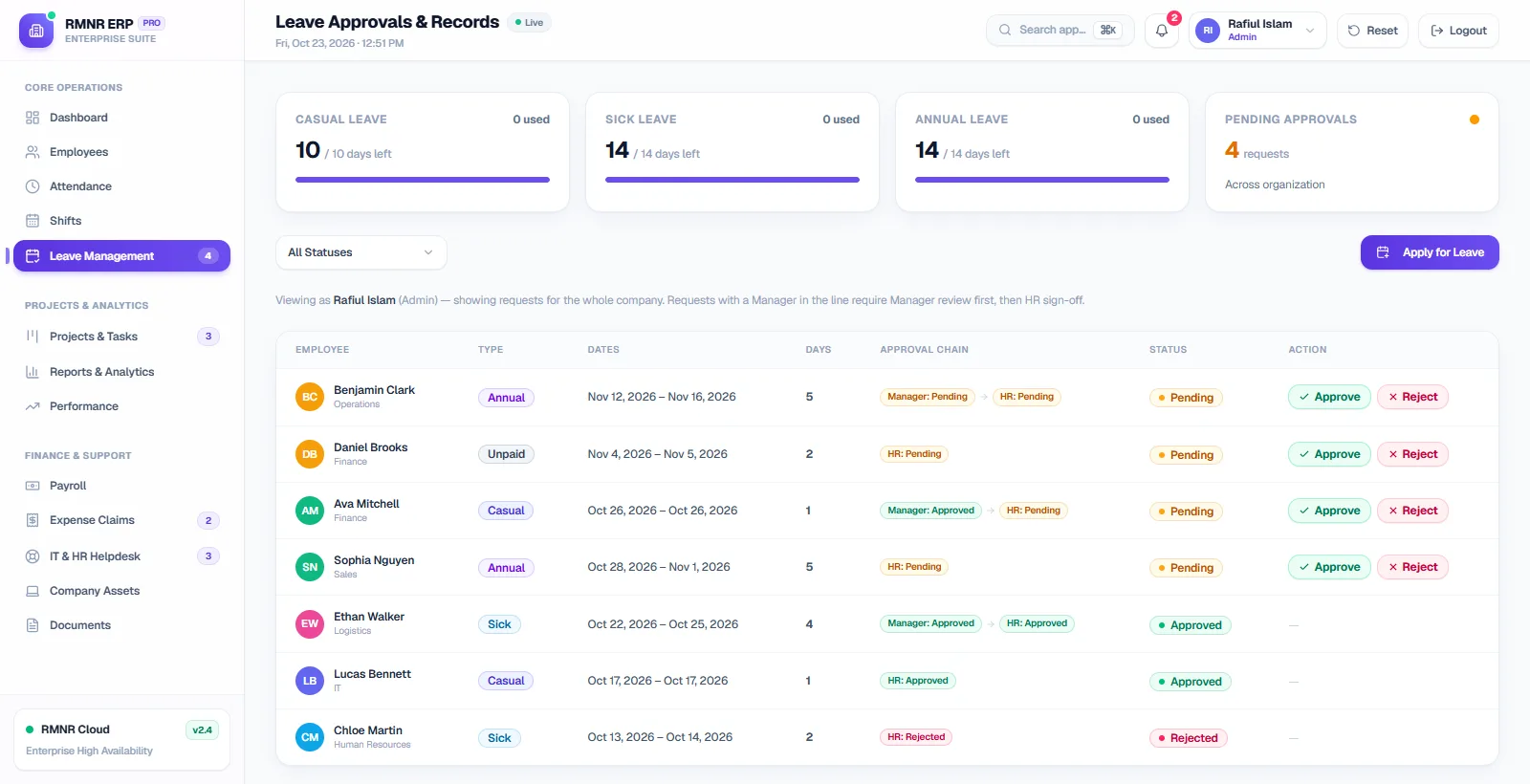
Leave — every request moves through the manager, then HR 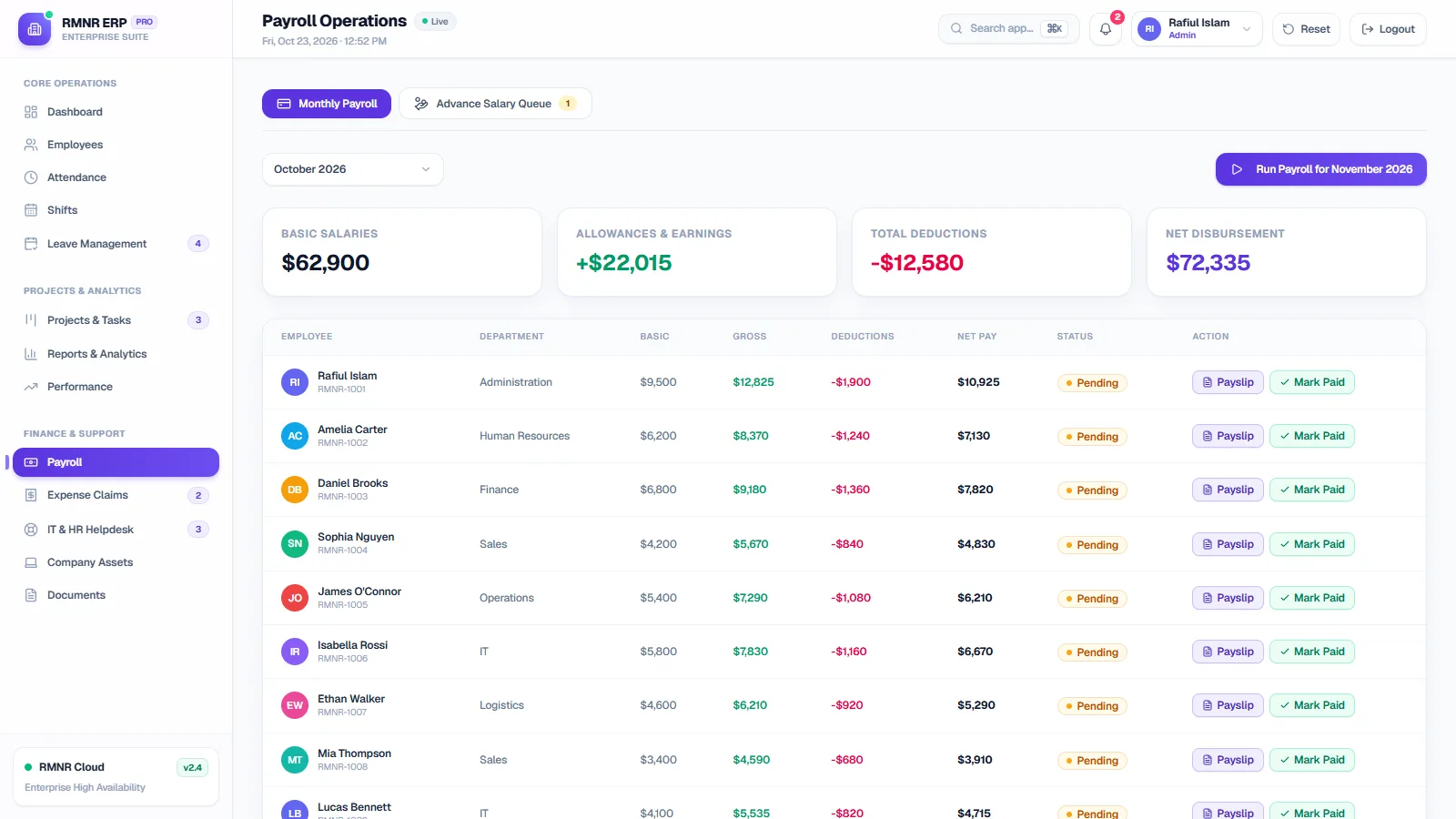
Payroll — earnings, deductions and payslips for the month 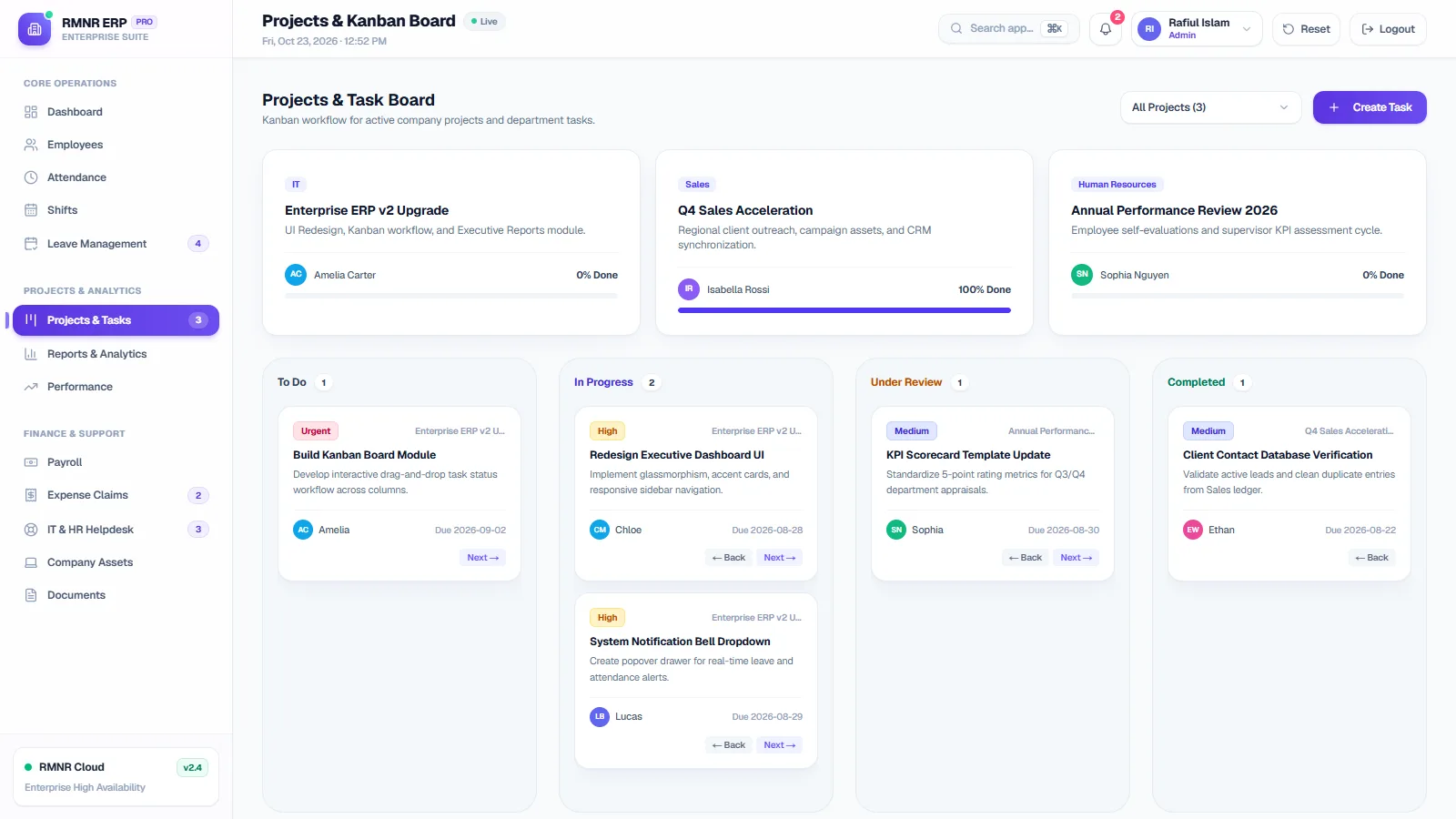
Projects — a kanban board for company tasks
Stack
- Next.js
- React
- TypeScript
- Tailwind CSS
- shadcn/ui
- Radix UI
- TanStack Table
- Recharts
Where it is now
The full interface and every workflow are built and run as an interactive prototype on demo data.
Next, the prototype will be connected to a backend with a database, authentication and audit history.